MacBook charger: which power adapter and cable to choose for fast charging
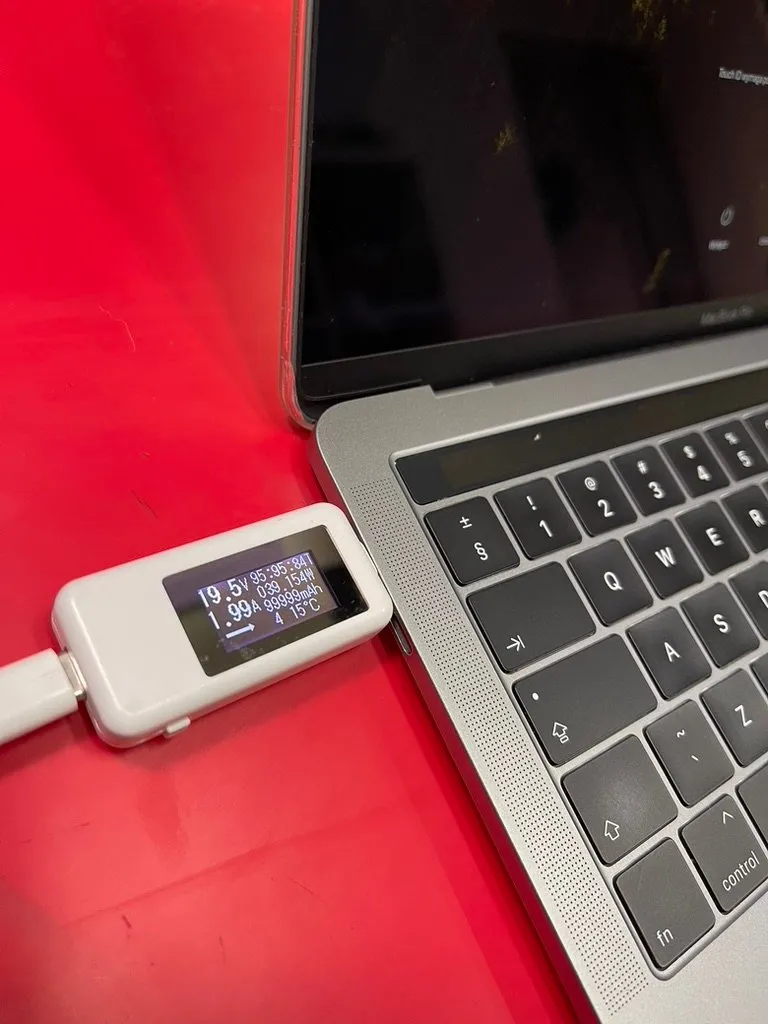
You’d think any USB-C charger would charge a MacBook. In practice, whether it charges — and how fast — depends on the adapter’s voltage and wattage, the cable and the computer model itself ⚡ Below are the key rules I use when choosing chargers for customers.
An iPhone charger isn’t enough
Apple allows a MacBook to be charged with any USB Power Delivery (USB PD) adapter, including one with a higher wattage than recommended — higher wattage won’t damage anything, because the computer only draws as much as it needs. There is one catch, though: to charge properly, a MacBook needs 20V. Yet most chargers for phones and small devices only provide 5V. Only better adapters with USB PD support can negotiate a higher voltage — and even they often stop at 9V, like the 20W iPhone charger, or at 15V. With an adapter like that, a MacBook charges very slowly or not at all, and while you work the battery may even drain. That’s why chargers like these shouldn’t be used with a MacBook — the computer effectively runs on its battery, while the small charger works at its limit the whole time.
The same goes for an adapter with too little wattage: even at 20V, charging takes longer, and under heavier loads the MacBook draws the shortfall from the battery — more about that in the guide to MacBook batteries.
You can check the wattage of the connected adapter in macOS: hold the Option key, click the Apple menu, choose System Information and then the Power section.
Which charger for which MacBook
| Model | Model number | Adapter recommended by Apple | Fast charging (to about 50% in 30 min) |
|---|---|---|---|
| MacBook Air 13″ (2018–2020) | A1932, A2179, A2337 | 30W | — |
| MacBook Air 13″ (2022 and later) | A2681, A3113, A3240, A3449 | 30W or 35W | 67W and above |
| MacBook Air 15″ | A2941, A3114, A3241, A3448 | 35W | 70W and above |
| MacBook Pro 13″ (2016–2022) | A1706, A1708, A1989, A2159, A2251, A2289, A2338 | 61W | — |
| MacBook Pro 15″ (2016–2019) | A1707, A1990 | 87W | — |
| MacBook Pro 16″ (2019) | A2141 | 96W | — |
| MacBook Pro 14″ (2021 and later) | A2442, A2779, A2918, A2992, A3112, A3401, A3185, A3434 | 67W, 70W or 96W | 96W or 140W |
| MacBook Pro 16″ (2021 and later) | A2485, A2780, A2991, A3186, A3403 | 140W | 140W |
You’ll find the model number (e.g. A2338) in small print on the bottom of the case.
On MacBook Air models from 2022 onwards and on the 14-inch MacBook Pro, fast charging works both through MagSafe 3 and through a USB-C cable. The 16-inch MacBook Pro is a bit different — more on that below.
28V — the exception: MacBook Pro 16″
Standard USB Power Delivery tops out at 20V and 5A, i.e. 100W. To deliver 140W, the newer version of the standard (USB PD 3.1, so-called EPR) raises the voltage to 28V at 5A. That’s what the 16-inch MacBook Pro from 2021 onwards uses.
- Via MagSafe 3, the full 140W works on all 16-inch MacBook Pros from 2021 onwards.
- The 14-inch MacBook Pro also switches to 28V on the MagSafe 3 port, although it doesn’t draw the full 140W.
- Via USB-C, the full 140W only works on models from November 2023 (A2991 with M3 Pro and M3 Max, and later), and only with a 240W USB-C cable.
On top of that, the adapter itself must support PD 3.1 and 28V. If any of these is missing, the computer will still charge, but at roughly 100W at most.
The cable matters
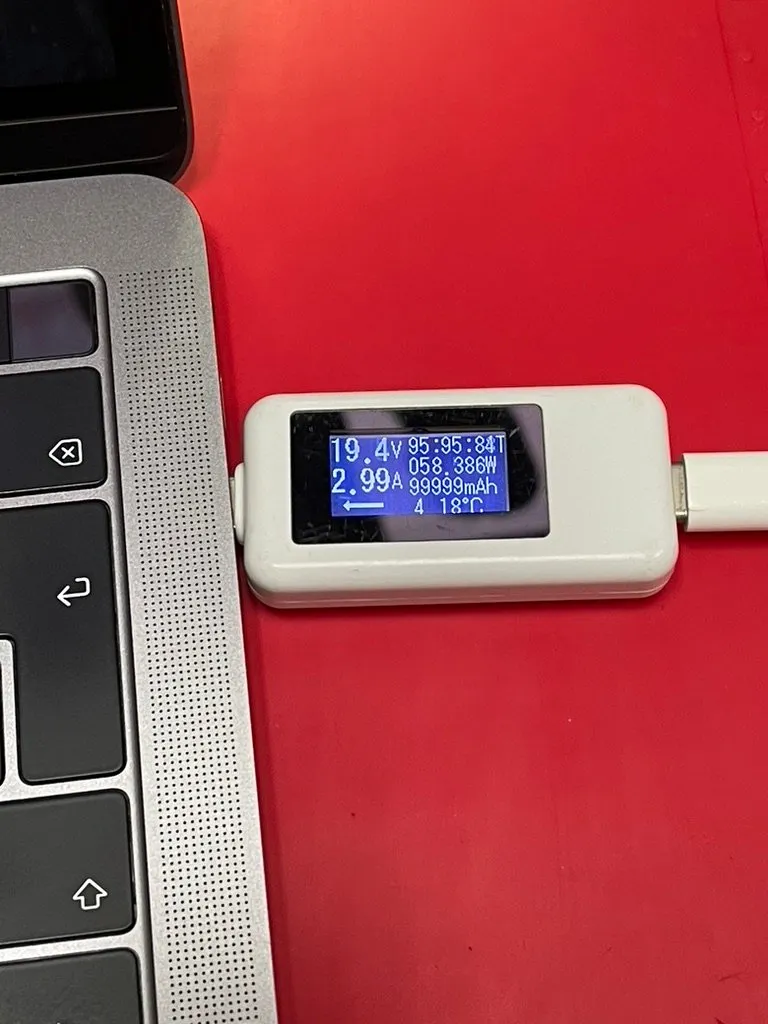
A USB-C meter shows how much power the computer is charging at — here a MacBook Pro 13 A1989: 19.4V and almost 3A, i.e. close to 60W.
- Up to 60W, a regular USB-C cable (3A) is enough.
- Above 60W, up to 100W, you need a 5A cable with an e-marker chip — usually labelled “100W”.
- 140W over USB-C requires a 240W (EPR) cable. With MagSafe, the USB-C to MagSafe 3 cable plays that role.
The most common trap? A powerful adapter with a thin 60W cable. The computer charges, but more slowly than it could — and nothing tells you the cable is to blame.
Adapters from other brands
Good adapters from other brands charge MacBooks without any problem. Independent tests (including ChargerLAB) show that PD 3.1 adapters can negotiate 28V with the 16-inch MacBook Pro and reach over 126W, with the best getting close to 135W — compared with around 139W from Apple’s original 140W adapter.
Two things are worth checking. On multi-port adapters, full power and 28V are often available only on selected ports, and power is shared when you charge several devices at once. And cheap adapters without PD 3.1 don’t support 28V at all.
Should you keep a MacBook on the charger all the time?
Better not — being plugged in constantly quickly lowers battery health. I recommend running on battery at least once a week. Why this happens and what it looks like in practice is explained in the guide to MacBook batteries.
Chargers and cables at iHelp
At the shop I have carefully selected chargers and cables for MacBooks — I’ve tested each of them in practice. I’ll help you choose the best set for your computer at a reasonable price. They include 140W chargers with 28V support too 🔌
Drop by the shop or get in touch and tell me which MacBook you have — I’ll recommend the set that will work best.